Time to become proficient for the 2026/27 season
It’s that time of the year again when we need to become proficient and complete our online Skills Maintenance. Here is what you need to do…
Be a fully financial member
You must be a fully financial member for the 2026/27 season to take part. Renew your membership first so you’re cleared to book in.
If you have not already registered, open your SLS Members portal and click on Renew.
Open SLS Members PortalComplete online Learning
Online learning must be completed before attending the DRY skills maintenance practical session. You must complete the relevant online learning for each award you currently hold.
- Login to SLS Hub.
- Click on Open eLearning in the eLearning widget of your dashboard, then click Login to eLearning.
- From the menu choose Training Library -> SLSNSW – Skills Maintenance 2026/27 -> View courses.
- Find the correct Skills Maintenance course (i.e. Bronze Medallion Theory, Surf Rescue Theory or ART Theory).
- Click ENROL, then click START.
- Complete each training module by clicking EXIT and make sure you complete all modules.
Register & Book your DRY proficiency session
Dry proficiencies will be held on the following dates. Commencing 6pm for ART and 6:30pm for BM/SRC.
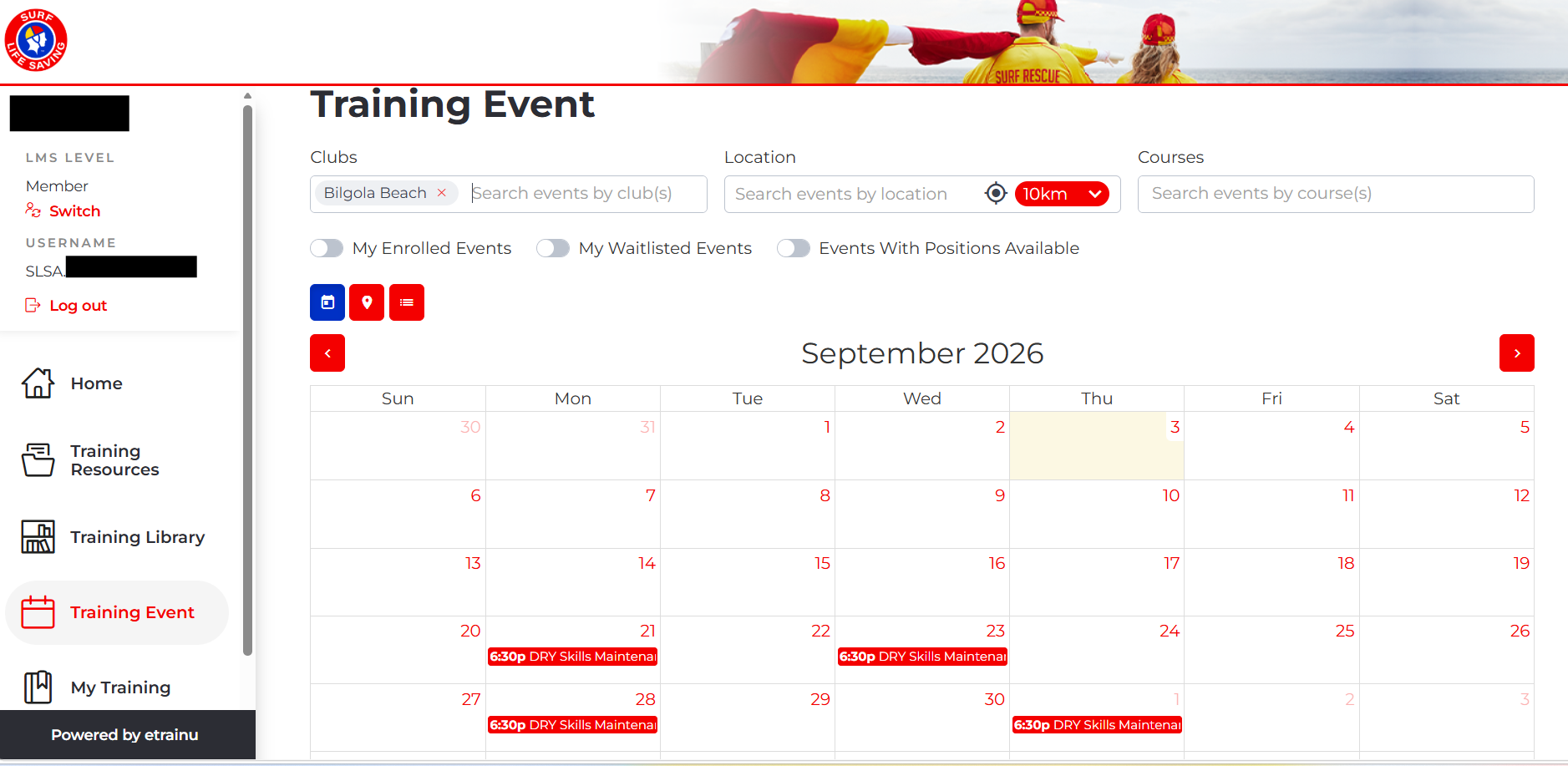
The change this year is that you need to register through your SLS Members Hub, the same place your online learning lives (under eLearning/Training Events).
- Scroll through the calendar & select a Skills Maintenance date that suits you.
- Please read through and then click on the bottom right-hand button ENROL.
- If your plans change, please log back in, remove yourself from the proficiency date, and re-enrol in a new date.
Once registered you will receive a confirmation email.
WET proficiencies
Wet proficiencies will be held during your patrol. This year you will undertake a run-swim-rescue with a tube and a board rescue (with a conscious patient).
Need Help?
If you need assistance with SLS hub or have any technical issues with steps 1-3, please reach out directly to the IT Helpdesk: 1300 724 006 or visit the IT Helpdesk.